Bits
###################################################
**BITS is just what the doctor ordered.**
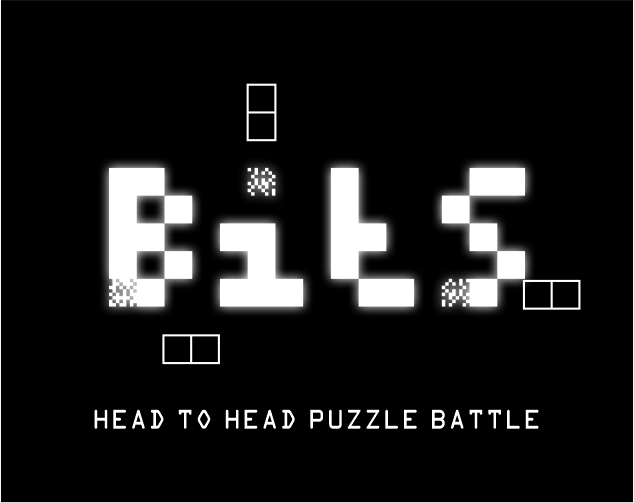
A fast-paced puzzle game about stacking **Bits**, resolving **Errors**, and keeping the system from crashing.
Move and rotate falling Bit Pairs to connect matching colors. Set up cascades, build powerful Chains, and resolve every Error on the board. Then take your skills into **Battle Mode**, where well-timed clears launch Errors at your opponent—and a last-second counterattack can stop an incoming strike.
Easy to learn. Challenging to master. Built for quick rounds, clever setups, and competitive battles.
**STACK THE BITS. RESOLVE THE ERRORS. DON’T CRASH.**
## HOW TO PLAY
- Move and rotate falling Bit Pairs into position.
- Connect **four or more cells of the same color** in a horizontal or vertical line. Bits and Errors both count; diagonals and gaps do not.
- Include an Error in the matching line to resolve it. Clearing beside it is not enough.
- Resolve every Error to complete the stage. Ordinary Bits can remain.
- Build **Chains** by making a clear cause unsupported Bits to fall into another match. Errors stay fixed in place.
- Use **Hold** to store or swap a Bit Pair. You can Hold once per pair; lock it before holding again.
- Follow the landing shadow to see where your pair will land.
- Use **Soft Drop** to descend faster. Release Down and press again for each new pair.
- Use **Hard Drop** to place and lock a pair instantly. Press Up on its own; sideways or Down combined with Up is ignored. Release Up before trying again.
## SOLO PLAY & JOURNEY
Choose a starting Error level and speed in **Solo Play**, or work through all **20 stages in Journey**. Six Journey slots let you keep separate progress.
Journey saves at stage boundaries. Continue restarts the saved stage from the beginning; it does not restore a partly played board. Saves stay in the same browser on the same device. Solo Play does not use a Journey save slot.
After a solo stage clears and Defrag finishes, press a fresh key or controller button to continue.
## BATTLE MODE
Resolve all your Errors before your opponent, or outlast them, to win the round. You lose if a new pair cannot enter your board or an incoming Error has no empty cell to land in.
Both players start each round with the **same Error layout and Bit Pair sequence**.
In **Battle → Local 2P**, choose:
- **Single:** one round wins the match.
- **Best of 3:** first to **2 round wins** takes the set.
- **Best of 5:** first to **3 round wins** takes the set.
The running score counts round wins, not points. A simultaneous finish is a **draw** and awards no point; play another round to continue the set.
**Next Round** preserves the set score and deals a fresh shared board and pair sequence. **Play Again** starts a new set in the same format at 0–0. **Home** ends the set; unfinished sets are not saved. Pause → **Restart Round** restarts an unfinished round with a fresh board while keeping previous round wins.
**Online Battle** uses private rooms and requires a compatible secure WebSocket server. Online matches are single rounds; local best-of sets do not apply online.
## WHAT SENDS AN ATTACK?
Attacks launch automatically—there is no attack button.
| Clear | Requirement | Attacks created |
| --- | --- | --- |
| **4 Clear** | Three consecutive pair drops with a longest clear of exactly four | 1 |
| **5 Clear** | Two consecutive pair drops with a longest clear of exactly five | 1 |
| **6+ Clear** | One pair drop with a line of six or more | 1 |
| **Bit Twist + 4 Clear** | A qualifying Twist clear, with a longest clear of four | 1 |
| **Bit Twist + 5+ Clear** | A qualifying Twist clear, with a longest clear of five or more | 2 |
A **5 Clear**, for example, means five matching cells in one line, including Bits and Errors. Use the longest matching line from the pair drop, including cascades. Each drop counts once toward a streak.
Changing clear size or making no match breaks the streak. Streaks reset after creating an attack. **4 Clear → 5 Clear → 4 Clear does not attack.** A Chain alone does not guarantee an attack.
Twist attacks **replace** the normal attack award; they do not add to it. Each attack creates one incoming Error unless it is used to intercept.
## BIT TWISTS
Rotate a pair into a **grounded pocket blocked above and on at least one side** to make a Bit Twist. Ordinary flips on an open floor do not qualify.
A qualifying rotation makes a **snap sound**. To earn the **BIT TWIST** announcement, extra screen shake, bonus points, and a Twist attack in battle, the pair must **lock in that position as part of a matching line**. Moving or rotating out cancels qualification. Screen shake still respects your Settings choice.
## INTERCEPT INCOMING ATTACKS
An attack takes **four seconds** to cross the screen.
Create an attack before an incoming bolt lands to **intercept it**. Each interception consumes one of your attacks and destroys one incoming bolt, so neither places an Error. Your attacks cancel incoming bolts first; any remaining attacks travel toward your opponent.
If lightning lands, it places an Error in an available cell. Its endpoint can move as the board changes. Clear the new Error just like the starting ones.
Build your next clear before you need it.
## END-OF-ROUND DEFRAG
Leftover Bits settle, merge, and disappear as the board defrags. Each leftover Bit—including Bits in the active pair—subtracts **100 points**. Your score counts down to its final total and can fall below zero.
Defrag changes points, **not the battle winner or set score**. Results grades measure performance; they do not decide who wins.
## KEYBOARD CONTROLS
| Action | Player 1 | Player 2 |
| --- | --- | --- |
| Move | ← / → | A / D |
| Soft Drop | ↓ | S |
| Hard Drop | ↑ | W |
| Rotate counterclockwise | Z | Q |
| Rotate clockwise | X | E |
| Hold | Left Shift | F |
Pause with **P** or **Escape**. The fresh-press Soft Drop and diagonal Hard Drop protections apply to both players.
## GAMEPAD CONTROLS
Connect your controller and press a button so the browser can detect it. Using standard controller positions:
| Action | Control |
| --- | --- |
| Move | D-pad Left/Right or left stick |
| Soft Drop | D-pad Down or left stick Down; release and press again for each pair |
| Hard Drop | D-pad Up on its own; release before another attempt |
| Rotate clockwise | Bottom or left face button: Xbox A/X; PlayStation Cross/Square |
| Rotate counterclockwise | Right or top face button: Xbox B/Y; PlayStation Circle/Triangle |
| Hold | Either shoulder bumper: LB/RB or L1/R1 |
| Pause | Start/Menu/Options or Back/Select |
Button labels can vary between controllers; use the physical positions if yours differ. Analog-stick Up is not Hard Drop.
Both players can use connected controllers in local Battle. The first detected controller controls Player 1; the second controls Player 2. Supported controllers provide feedback for rotations, drops, clears, and attacks. Turn this off with **Settings → Haptics**.
## MENU CONTROLS & COMFORT
- **D-pad / left stick or keyboard arrows:** navigate.
- **Bottom face button or Start; Enter or Space:** select.
- **Right face button or Back/Select; Escape:** go back.
- **Left / Right:** adjust highlighted settings and sliders.
- On battle results, select **Next Round**, **Play Again**, or **Home**. Online results offer **Rematch**, which requests another match through the server.
Settings include landing shadow, shadow opacity, screen shake, music, volume, and controller rumble. The mouse pointer is hidden for keyboard and controller play.
Download
This game is currently unavailable
Leave a comment
Log in with itch.io to leave a comment.